What Your Phone Isn't Telling You About Battery Drain: The Background App Problem Explained
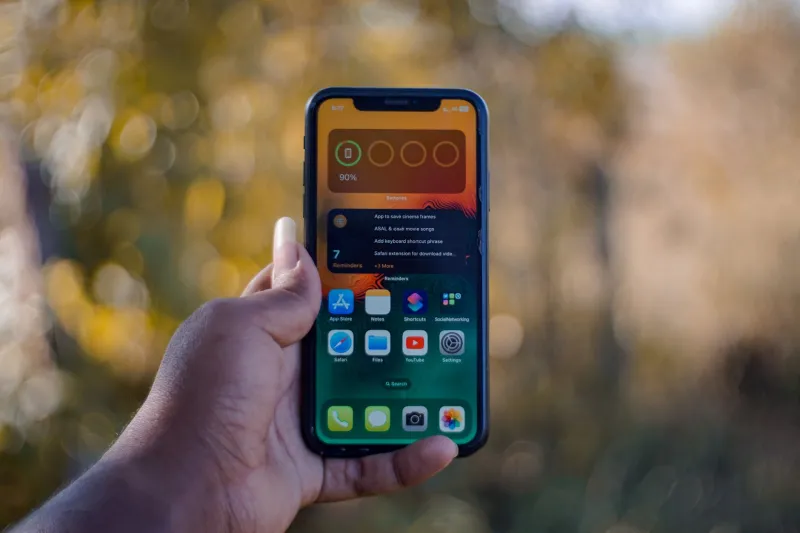
You charged your phone overnight. By noon, it's already dipping below 40 percent. You haven't been streaming video or playing games — you've barely touched the screen. So where did the power go?
The answer, in most cases, is running invisibly behind every app you've ever installed. Background processes have become one of the most persistent and least-discussed sources of battery degradation in modern devices, and the way manufacturers and operating systems present this information to users leaves a great deal to be desired.
The Mechanics of Background Power Consumption
When you close an app on your smartphone or laptop, it does not necessarily stop working. Modern operating systems — including iOS, Android, Windows, and macOS — allow applications to continue executing tasks in the background. These tasks range from legitimate functions, such as fetching new email or syncing calendar data, to far less justifiable activities like refreshing advertising identifiers, logging location data, and pinging remote servers at regular intervals.
Each of these operations draws on the device's processor, network radio, and GPS hardware. None of these components run for free. The processor consumes power every time it wakes from a low-energy state, the cellular or Wi-Fi radio burns energy maintaining a connection, and the GPS chip — one of the most power-hungry components in any mobile device — can drain a battery with remarkable speed when accessed repeatedly.
The compounding effect is what catches most users off guard. A single app refreshing its content every fifteen minutes might be nearly undetectable. Ten apps doing the same thing simultaneously create a sustained background load that rivals active screen use.
Why the Battery Usage Screen Doesn't Tell the Full Story
Both Android and iOS offer built-in battery usage menus that display which apps have consumed the most power over a given period. These screens are genuinely useful, but they are also, by design, incomplete.
On iOS, Apple aggregates background activity under broad categories and rounds figures in ways that obscure granular consumption data. Third-party apps cannot access detailed power usage logs — a restriction Apple frames as a privacy and stability measure but which conveniently limits independent scrutiny of its own first-party applications.
Android provides somewhat more transparency through its developer-facing battery historian tools, but these require enabling USB debugging and running command-line utilities — steps that are well beyond the average user's comfort level. The standard battery settings screen on most Android devices, particularly those running manufacturer-customized versions of the OS from Samsung, OnePlus, or Motorola, presents simplified summaries that smooth over the specifics.
This opacity is not accidental. Device manufacturers have a vested interest in users perceiving their hardware as efficient. An accurate, real-time breakdown of which system services or pre-installed bloatware applications are consuming power would invite uncomfortable questions about software that ships on devices by default and cannot always be uninstalled.
The Biggest Offenders on Most Devices
While every device configuration is different, certain categories of applications consistently appear at the top of power consumption analyses conducted by independent researchers and battery optimization developers.
Social media platforms are among the most aggressive background consumers. Applications like Facebook, Instagram, and TikTok have been documented requesting background location access, refreshing content feeds, and loading advertisements even when not actively in use. Facebook in particular has faced repeated scrutiny — and, in some cases, litigation — over its background activity patterns.
Mapping and navigation apps that retain location permissions continue polling GPS hardware long after a trip has ended. Google Maps, Waze, and Apple Maps are all capable of this behavior when location access is set to "Always" rather than "While Using."
Email and messaging clients configured for push notifications maintain persistent connections to remote servers. On older or mid-range hardware, the processor overhead of managing these connections adds up over the course of a day.
Cloud backup services — including Google Photos, iCloud, and Dropbox — often schedule large sync operations during periods of apparent inactivity, consuming both battery and mobile data in the process.
Practical Diagnostic Steps You Can Take Today
Regardless of your platform, there are concrete actions you can take to identify and reduce background battery drain.
On iPhone (iOS 16 and later): Navigate to Settings > Battery and review the list of apps sorted by battery usage over the past 24 hours or 10 days. Tap any app to see a breakdown of on-screen versus background consumption. Any app showing significant background usage that you rarely open actively is a candidate for having its background app refresh disabled under Settings > General > Background App Refresh.
On Android: Go to Settings > Battery > Battery Usage. Enable the option to show full device usage if available on your device. Look specifically for apps listed under "Background" usage. For more granular data, enabling Developer Options and using the built-in battery historian export can reveal wakelocks — instances where an app prevented the processor from entering a sleep state.
On Windows 11: Open Settings > System > Power & Battery > Battery Usage. This screen shows per-app consumption over the past week. You can also navigate to Settings > Apps > Installed Apps, select any application, and restrict its background permissions individually.
On macOS: Open Activity Monitor, select the Energy tab, and sort processes by energy impact. This view updates in real time and will surface any application consuming disproportionate resources, whether it is visible on screen or not.
The Structural Reason This Problem Persists
It would be convenient to attribute background battery drain entirely to careless app developers or malicious data collection. The reality is more complicated. Modern application architectures depend on background activity to deliver the real-time features users expect — instant notifications, up-to-date widgets, and seamless content loading when an app is opened. Eliminating background processing entirely would produce a noticeably degraded user experience.
The genuine problem is the absence of meaningful, user-accessible controls and honest disclosure. Operating systems could expose power consumption data in plain language without requiring developer tools. Manufacturers could ship devices with more conservative default background permissions. App stores could enforce stricter background activity standards as a condition of distribution.
These changes would benefit consumers directly. They would also, in varying degrees, reduce the data collection revenue that funds many of the free applications users rely on daily. That tension explains, more than any technical limitation, why transparent battery reporting has remained a low priority across the industry.
Taking a More Deliberate Approach
The most effective long-term strategy is treating background permissions as a deliberate choice rather than a default acceptance. When installing any new application, review its requested permissions before granting them. Revoke location access from any app that does not have a clear, functional need for it. Disable background refresh for apps you check manually rather than relying on push updates.
None of these steps require technical expertise. They do require a few minutes of attention — and a willingness to accept that the battery life advertised on the box reflects optimal conditions that your current app configuration is almost certainly not delivering.